STILL APPLYING. STILL HEARING NOTHING?BUILD YOUR RESUME

STILL APPLYING. STILL HEARING NOTHING?BUILD YOUR RESUME
Choose from a wide range of NEWCV resume templates and customize your NEWCV design with a single click.
FAQ
ASP.NET developers who specialize in Azure cloud migration are some of the most valuable engineers in enterprise hiring today. Companies are aggressively modernizing legacy .NET Framework applications, IIS-hosted systems, Windows Server environments, and monolithic ASP.NET MVC or Web Forms applications to ASP.NET Core and Azure-native architectures.
But most modernization projects fail for predictable reasons: poor dependency analysis, rushed rewrites, weak migration planning, broken authentication flows, database bottlenecks, and deployment risk during production cutovers.
The developers who stand out are not just “.NET developers.” They understand enterprise transformation. They know how to migrate legacy applications incrementally, modernize architecture safely, reduce downtime risk, and improve scalability without disrupting business operations.
This guide explains what enterprise employers actually expect from ASP.NET Azure migration specialists, the modernization workflows used in real projects, the technical skills that matter most, and how experienced developers position themselves for high-paying modernization and cloud transformation roles.
An ASP.NET Azure migration developer modernizes older Microsoft-stack applications and infrastructure into scalable, cloud-native systems running on Azure.
That work typically includes:
Migrating .NET Framework applications to ASP.NET Core
Moving IIS-hosted applications into Azure App Service or containers
Replacing Windows Server dependencies with Azure-native services
Refactoring monolithic applications into modular APIs or microservices
Migrating SQL Server workloads to Azure SQL Database
Modernizing CI/CD pipelines using Azure DevOps or GitHub Actions
Replacing legacy authentication systems with Microsoft Entra ID and OpenID Connect
Many enterprise organizations still operate large ASP.NET MVC, Web Forms, or WCF-based systems built years ago on:
.NET Framework 4.x
IIS-hosted infrastructure
Windows Server VMs
On-prem SQL Server
Monolithic architectures
Manual deployment processes
These systems become expensive and risky over time.
Common business problems include:
Slow release cycles
Not every modernization project involves a full rewrite.
Strong migration engineers understand multiple migration paths and know when to use each one.
Rehosting moves an existing application into Azure with minimal code changes.
Typical examples:
Moving IIS-hosted applications into Azure Virtual Machines
Migrating SQL Server into Azure SQL Managed Instance
Shifting Windows Server workloads into Azure infrastructure
This approach is faster but usually preserves technical debt.
Recruiters view pure lift-and-shift experience as useful but less valuable than deeper modernization expertise.
This is one of the most common enterprise migration paths.
Developers migrate:
ASP.NET MVC applications
APIs
IIS workloads
Backend services
Into:
Azure App Service
Azure SQL Database
Azure Storage
This is the highest-value migration skill in many Microsoft-stack environments.
The process often involves:
Upgrading project structures
Replacing unsupported libraries
Migrating Entity Framework to EF Core
Rewriting configuration systems
Updating middleware pipelines
Refactoring authentication
Replacing Global.asax patterns
Many enterprises eventually decompose large monolithic systems into modular services.
This often includes:
ASP.NET Core APIs
Docker containerization
Kubernetes or AKS deployment
Service isolation
API gateway implementation
Distributed logging
Event-driven messaging
However, recruiters and architects are increasingly skeptical of candidates who overstate microservices experience.
Strong candidates explain:
Most resumes fail because they list technologies without demonstrating transformation capability.
Enterprise hiring managers want proof that a developer can modernize systems safely and effectively.
The most valuable technical stack typically includes:
ASP.NET Core
.NET 6, .NET 7, or .NET 8
C#
Azure App Service
Azure SQL Database
Azure Storage
Azure Functions
Azure Key Vault
Recruiters often prioritize workflow expertise over raw tool familiarity.
High-value candidates demonstrate experience with:
Legacy application assessment
Dependency mapping
Incremental migration planning
Production cutover planning
Zero-downtime deployment strategy
Rollback planning
Authentication modernization
API modernization
Most recruiters are not deeply technical, but enterprise technology recruiters absolutely understand modernization terminology.
Your resume needs to communicate transformation impact quickly.
Strong modernization resumes include phrases like:
Migrated legacy ASP.NET MVC application from .NET Framework to ASP.NET Core
Re-platformed IIS-hosted enterprise systems into Azure App Service
Refactored monolithic applications into modular ASP.NET Core APIs
Implemented CI/CD pipelines using Azure DevOps and GitHub Actions
Reduced deployment downtime through staged migration planning
Modernized authentication using OAuth2 and OpenID Connect
Migrated SQL Server workloads into Azure SQL Database
Weak Example
“Worked on Azure migration projects.”
This says almost nothing.
Good Example
“Led migration of enterprise ASP.NET MVC platform from on-prem IIS infrastructure to Azure App Service, reducing deployment time by 70% and improving application scalability during peak traffic periods.”
The second version demonstrates:
Scope
Architecture
Migration ownership
Measurable outcome
Enterprise relevance
That is what hiring managers want.
Enterprise modernization projects fail in predictable ways.
Experienced hiring managers look for developers who understand those risks.
Many developers try to rebuild everything immediately.
That usually creates:
Massive delivery delays
Regression risk
Budget overruns
Deployment instability
Experienced modernization engineers prefer incremental migration strategies whenever possible.
Legacy enterprise systems often contain:
Hidden DLL dependencies
Shared services
Unsupported packages
Tight database coupling
Environment assumptions
Failing to audit dependencies early can derail entire projects.
Strong candidates mention:
Dependency analysis
Compatibility assessment
Authentication modernization is one of the hardest parts of many migrations.
Legacy systems often use:
Forms authentication
Custom identity providers
Active Directory integrations
Session-based authorization
Modern systems typically require:
OAuth2
OpenID Connect
Microsoft Entra ID
Many migration failures happen during deployment, not development.
Experienced migration engineers plan for:
Blue-green deployment
Rollback procedures
Canary releases
Staged cutovers
Traffic routing
Database synchronization
Infrastructure failover
Hiring managers trust candidates more when they discuss operational reliability instead of only coding tasks.
Modernization hiring is heavily risk-based.
Employers are asking:
“Can this person modernize critical systems without creating operational disasters?”
That means interviews often focus on:
Hiring managers want to understand:
Why certain migration paths were chosen
Whether refactoring was justified
How technical debt was prioritized
How backward compatibility was maintained
Which risks were accepted or avoided
Strong candidates explain tradeoffs clearly.
Weak candidates describe tools without decision logic.
Enterprise employers highly value candidates who understand:
Monitoring
Incident response
Deployment rollback
Infrastructure reliability
Logging and observability
Performance bottlenecks
Production support during migration
This is especially true for regulated industries.
The best modernization developers understand business outcomes, not just engineering tasks.
They connect modernization efforts to:
Faster releases
Reduced downtime
Lower infrastructure costs
Improved scalability
Better security compliance
Reduced maintenance overhead
That makes them more valuable in senior engineering interviews.
Not all Azure services carry equal hiring value.
These services appear most often in enterprise ASP.NET modernization roles.
Critical for:
IIS modernization
Web application hosting
Managed deployment infrastructure
Scaling web applications
App Service migration experience is one of the strongest modernization signals on a resume.
Frequently used for:
SQL Server modernization
Managed database infrastructure
High availability improvements
Backup automation
Scalability enhancements
Developers who understand SQL migration challenges are consistently in demand.
Security modernization is a major enterprise priority.
Key Vault experience demonstrates:
Secret management awareness
Secure credential handling
Enterprise compliance understanding
CI/CD modernization is often as important as application modernization.
Hiring managers strongly value developers who improve:
Deployment automation
Release frequency
Testing workflows
Infrastructure consistency
Because modernization without deployment modernization creates bottlenecks.
Containerization is increasingly common in large-scale modernization efforts.
However, hiring managers care more about practical usage than buzzwords.
Strong candidates explain:
Why containerization was introduced
Which workloads benefited
How deployments changed
Operational tradeoffs introduced
That signals mature engineering judgment.
The strongest modernization resumes include measurable outcomes.
Enterprise employers care about business and operational impact.
Important KPIs include:
Reduced deployment time
Reduced infrastructure costs
Lower production downtime
Improved API response times
Faster release cycles
Reduced technical debt
Improved cloud scalability
Many developers undersell themselves by positioning as generic “.NET developers.”
That weakens search visibility and recruiter targeting.
Instead of:
“.NET Developer”
Use positioning like:
ASP.NET Core Migration Engineer
Azure Cloud Modernization Developer
Enterprise .NET Modernization Specialist
ASP.NET Azure Migration Consultant
Cloud Transformation Engineer
Legacy System Modernization Developer
This aligns your profile with enterprise transformation hiring.
Recruiters search using modernization-specific terminology.
Important keywords include:
ASP.NET Core migration
Azure migration
.NET modernization
Enterprise transformation
IIS migration
Cloud-native ASP.NET
Production migration support
Zero-downtime deployment
Enterprise modernization demand continues growing because many organizations still operate aging Microsoft-stack systems.
The biggest opportunities over the next several years include:
.NET 8 modernization projects
Cloud-native ASP.NET architectures
AI-enabled enterprise applications
Container-first deployments
Hybrid cloud modernization
Microservices decomposition
Platform engineering integration

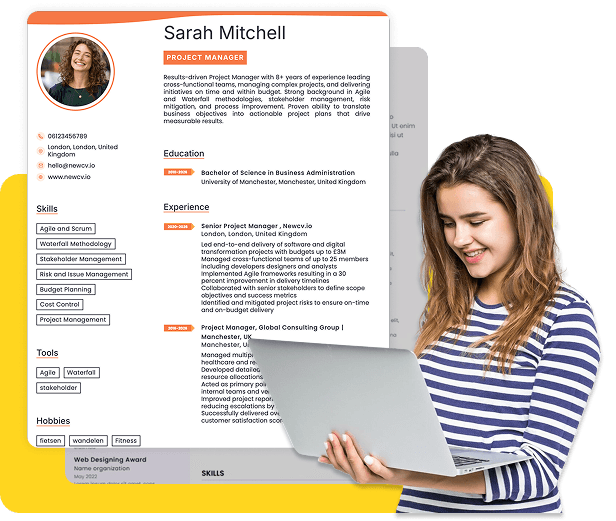
Use ATS-optimised Resume and resume templates that pass applicant tracking systems. Our Resume builder helps recruiters read, scan, and shortlist your Resume faster.

Use professional field-tested resume templates that follow the exact Resume rules employers look for.
Create Resume
Use professional field-tested resume templates that follow the exact Resume rules employers look for.
Create ResumeImproving deployment reliability and scalability
Reducing technical debt and infrastructure maintenance costs
In enterprise environments, modernization projects often affect mission-critical systems tied to finance, healthcare, insurance, manufacturing, logistics, or government operations. That changes how hiring managers evaluate candidates.
They are not looking for developers who only know syntax changes between .NET Framework and .NET 8.
They want engineers who understand:
Risk mitigation
Incremental migration strategy
Enterprise architecture constraints
Backward compatibility
Production deployment safety
Cloud infrastructure modernization
Operational stability during migration
That distinction separates mid-level developers from modernization specialists.
High infrastructure maintenance costs
Security vulnerabilities
Scaling limitations
Fragile deployments
Poor observability
Aging dependencies
Limited cloud compatibility
Modernizing to ASP.NET Core and Azure solves many of these problems.
Hiring managers increasingly prioritize developers who can lead or support transformation efforts because modernization directly impacts:
Operational costs
Release velocity
Reliability
Security posture
Disaster recovery
Scalability
Engineering productivity
This is why recruiters aggressively search for keywords like:
ASP.NET Core migration
Azure migration
.NET modernization
Legacy modernization
Enterprise transformation
Cloud-native ASP.NET
IIS migration
Production migration support
Monolith modernization
Azure Key Vault
Azure Application Insights
This reduces infrastructure maintenance while improving scalability and deployment automation.
Hiring managers strongly favor candidates with App Service migration experience because it represents practical modernization without full architectural disruption.
Modernizing dependency injection
This work requires strong architectural judgment.
Experienced engineers know that migration complexity is rarely about syntax. It is about dependencies, compatibility, infrastructure assumptions, and business continuity.
Why decomposition was necessary
Which domains were separated first
How data consistency challenges were handled
How deployment complexity changed
What operational tradeoffs emerged
That level of detail signals real-world modernization experience.
Azure DevOps
GitHub Actions
Docker
Kubernetes or AKS
Entity Framework Core
SQL Server migration
IIS modernization
Application Insights
But technology alone is not enough.
CI/CD modernization
Infrastructure automation
Container migration
Observability improvements
This is where many developers lose credibility.
A resume that simply says “worked with Azure” is weak.
A resume that explains migration outcomes and operational improvements performs dramatically better.
Containerized ASP.NET Core services using Docker and AKS
These phrases signal modernization ownership.
Upgrade sequencing
Environment audits
Because enterprise teams know these issues matter.
Token-based authentication
Zero-trust security approaches
Developers who successfully modernize authentication systems are highly valuable because identity migration introduces significant production risk.
Reduced server maintenance overhead
Improved security posture
Better deployment reliability
Quantified outcomes dramatically improve recruiter response rates.
Monolith modernization
Azure App Service migration
Candidates who naturally integrate these terms into resumes and LinkedIn profiles improve recruiter discoverability significantly.
DevSecOps modernization
Developers who combine modernization expertise with Azure architecture, CI/CD automation, and cloud-native engineering will remain highly competitive.
The market increasingly rewards engineers who can modernize systems safely, reduce operational risk, and improve enterprise scalability without disrupting business continuity.


 Upload Resume
 Import from Linkedin