STILL APPLYING. STILL HEARING NOTHING?BUILD YOUR RESUME

STILL APPLYING. STILL HEARING NOTHING?BUILD YOUR RESUME
Choose from a wide range of NEWCV resume templates and customize your NEWCV design with a single click.
FAQ


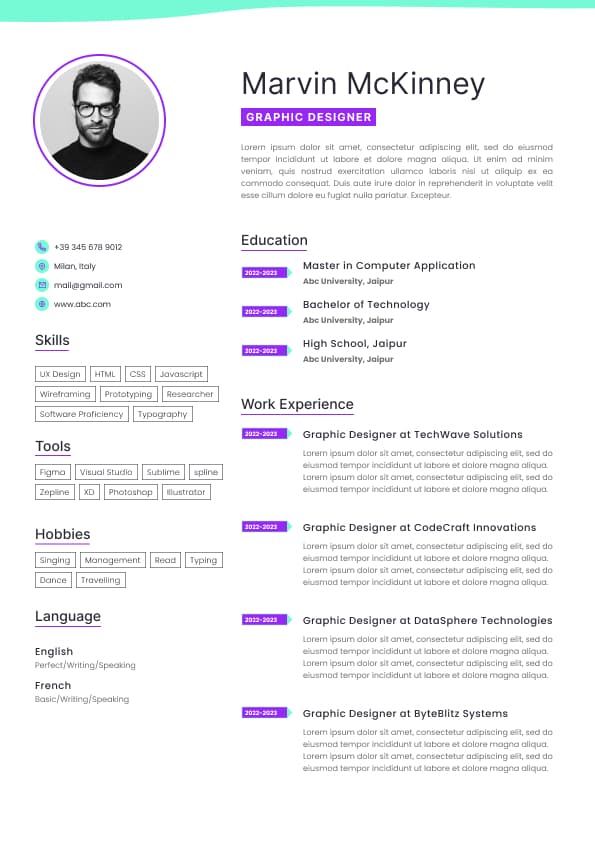
Use professional field-tested resume templates that follow the exact Resume rules employers look for.
Create ResumeiOS developer testing is the process of validating app quality before code reaches production. Modern iOS teams use unit testing, UI testing, snapshot testing, regression testing, accessibility testing, and TestFlight QA to reduce release risk and improve app stability. Strong testing practices help teams ship faster, reduce production bugs, improve crash free sessions, and increase confidence during releases.
For iOS developers, testing is no longer optional. Companies hiring mid level and senior iOS engineers expect developers to understand XCTest, XCUITest, automated QA workflows, CI/CD integration, and testable architecture. Testing experience signals engineering maturity, production readiness, and the ability to scale mobile applications responsibly.
Most production issues in mobile apps are not caused by complicated algorithms. They usually happen because a new release unintentionally breaks an existing feature.
Common iOS regression problems include:
Login failures after backend updates
Broken onboarding flows
Payment interruptions
Deep link routing issues
Push notification failures
API decoding crashes
Navigation problems after UI refactors
SwiftUI rendering inconsistencies
Accessibility failures
Device specific layout issues
Without proper testing, these problems reach production and directly affect users, App Store ratings, subscriptions, revenue, and retention.
Strong testing helps teams:
Reduce regression defects
Improve release confidence
Decrease manual QA time
Detect bugs earlier in development
Improve delivery speed
Reduce crash frequency
Protect critical business flows
Improve app reliability across devices
Recruiters and engineering managers increasingly evaluate testing knowledge when hiring iOS developers, especially for mid level and senior positions.
Strong testing experience signals:
Production quality awareness
Scalable engineering practices
Testable architecture knowledge
CI/CD understanding
Reduced dependency on manual QA
Ability to work in mature engineering environments
Better collaboration with QA and DevOps teams
Candidates stand out when they can explain:
What they tested
Why they tested it
Which automation strategy they used
How testing reduced release risk
How their tests improved delivery quality
Weak candidates only list tools like XCTest or XCUITest on a resume without explaining impact or implementation strategy.
A strong iOS testing strategy uses multiple testing layers. Each testing type solves a different problem.
The best mobile engineering teams combine:
Unit testing
UI testing
Integration testing
Snapshot testing
Regression testing
Accessibility testing
Performance testing
Smoke testing
Beta testing with TestFlight
Manual exploratory QA
The goal is not to test everything equally. The goal is to test the areas that create the highest business risk if they fail.
Unit testing validates isolated app logic without depending on the full UI or external systems.
High value unit testing targets include:
ViewModels
Networking services
API response handling
JSON decoding
Persistence logic
Authentication validation
Error states
Business rules
Form validation
State management
Good unit tests are:
Fast
Reliable
Focused
Independent
Easy to maintain
The strongest iOS developers prioritize testing behavior and outcomes instead of internal implementation details.
Strong unit testing focuses on:
Expected user outcomes
Failure handling
Async behavior
Data validation
Edge cases
Retry logic
Empty states
Invalid inputs
Senior engineers heavily test failure scenarios because production issues usually happen outside happy paths.
Weak unit testing often includes:
Testing internal implementation instead of behavior
Ignoring failure states
Over testing trivial logic
Writing brittle tests tied to app structure
Poor async testing practices
Lack of mocking or dependency isolation
XCUITest validates real user interactions inside the app.
This includes:
Login flows
Navigation flows
Checkout processes
Search functionality
Form submission
Account creation
Password recovery
Deep linking
Critical onboarding flows
UI testing helps validate that the app works correctly from the user perspective.
However, UI tests are slower and harder to maintain than unit tests, so experienced teams use them strategically.
High value UI automation targets include:
Revenue generating workflows
Authentication
Subscription flows
Core onboarding
High traffic navigation paths
Critical user journeys
Avoid excessive UI automation for:
Minor visual details
Frequently changing copy
Non critical screens
Low risk interactions
Internal business logic
Too many UI tests can slow development and create unstable pipelines.
Snapshot testing captures screenshots of app screens or UI components and compares them against approved baselines.
This is especially useful for:
SwiftUI validation
UIKit consistency
Dark mode testing
Localization testing
Dynamic type validation
Design system consistency
Multi device layout verification
Snapshot testing helps teams detect unintended visual changes before release.
Snapshot testing is most valuable when:
Teams use reusable UI components
Multiple themes or languages exist
Device support is broad
Visual consistency matters heavily
SwiftUI layouts change frequently
Snapshot testing becomes ineffective when:
Teams approve changes blindly
Baselines are poorly maintained
Dynamic content creates unstable screenshots
Too many low value snapshots exist
Strong teams treat snapshot differences seriously because visual regressions directly affect user trust.
SwiftUI testing requires a different mindset than older UIKit testing approaches because SwiftUI relies heavily on declarative state driven rendering.
Strong SwiftUI testing focuses on:
State transitions
ObservableObject behavior
Environment injection
Data flow
Loading states
Error states
Empty states
Reusable component behavior
Many developers make the mistake of trying to validate everything through UI automation. This creates slow and unstable testing workflows.
Experienced SwiftUI developers instead focus on making business logic testable outside the view layer.
Integration testing validates how different systems work together.
This includes interactions between:
Networking and persistence
Authentication and session storage
API responses and UI rendering
Push notifications and routing
Deep links and navigation
Offline storage and sync systems
Integration testing matters because many production issues happen between connected layers rather than inside isolated logic.
Strong integration testing reduces hidden production failures that unit tests alone may miss.
Regression testing protects existing functionality when new features are added.
As apps grow, regression risk increases significantly.
High risk regression areas include:
Authentication
Purchases and subscriptions
Payment processing
Notifications
Deep links
User sessions
App upgrades
Offline functionality
Navigation systems
Data persistence
Strong regression strategies combine:
Automated testing
Smoke testing
Manual exploratory QA
TestFlight validation
CI/CD checks
The best teams focus regression testing on the features that would create the biggest business impact if they failed.
Accessibility testing is now a major quality standard for modern mobile apps.
Strong accessibility validation includes:
VoiceOver support
Accessibility labels
Dynamic type scaling
Color contrast validation
Touch target sizing
Keyboard accessibility
Screen reader navigation
Accessibility problems affect:
User experience
App inclusivity
Enterprise contracts
Compliance requirements
Brand reputation
Candidates who understand accessibility testing often stand out because it signals product maturity and user focused engineering.
Performance testing validates app responsiveness, speed, and efficiency.
Strong performance testing focuses on:
App launch speed
Memory usage
API latency
Scroll smoothness
Battery impact
Animation responsiveness
Large dataset handling
Image rendering performance
Performance problems often lead to:
Poor App Store reviews
Increased uninstall rates
Reduced user retention
Device overheating complaints
Slow app responsiveness
Senior iOS engineers proactively monitor performance risk before release.
TestFlight plays a critical role in production ready iOS QA workflows.
It allows teams to:
Validate releases on real devices
Test App Store builds
Collect beta feedback
Detect crashes before release
Verify production environments
Test across iOS versions
Strong TestFlight workflows include:
Structured release notes
Defined QA scenarios
Device coverage planning
Regression validation
Internal beta groups
External testing when needed
Weak workflows rely on vague feedback like “test the app and let us know.”
Mature teams define exactly what needs validation before approval.
Modern iOS testing is deeply connected to CI/CD automation.
Common iOS CI/CD platforms include:
GitHub Actions
Bitrise
Xcode Cloud
Fastlane
Jenkins
Firebase Test Lab
Strong mobile pipelines automate:
Unit test execution
UI testing
Build validation
Release checks
TestFlight deployment
Static analysis
Regression verification
CI integrated testing is one of the strongest signals of engineering maturity because it reduces manual release risk and improves development speed.
Testing quality depends heavily on architecture quality.
Apps become difficult to test when they rely on:
Massive view controllers
Tight coupling
Shared mutable state
Hardcoded dependencies
Poor separation of concerns
Testable iOS architecture usually includes:
Dependency injection
Modular features
Protocol oriented design
ViewModel separation
Isolated business logic
Mockable services
Predictable state management
Strong architecture enables scalable testing and faster development.
Code coverage alone does not guarantee app quality.
A team can have high coverage while still missing critical bugs.
Strong code coverage focuses on:
Critical business logic
Failure handling
High risk workflows
Revenue affecting features
State transitions
Persistence behavior
Weak coverage focuses only on increasing percentages without improving actual reliability.
Senior engineering leaders care more about regression prevention and release confidence than vanity metrics.
Many teams struggle with testing because they focus on quantity instead of strategy.
The most common mistakes include:
Over relying on manual QA
Writing too many fragile UI tests
Ignoring edge cases
Skipping accessibility testing
Not testing failure states
Poor CI/CD integration
Blindly approving snapshot changes
Chasing coverage percentages
Testing implementation details instead of outcomes
Treating testing as a final step instead of part of development
The strongest iOS teams integrate testing directly into architecture, development, and release workflows.
Senior iOS engineers think about testing as risk management.
They prioritize:
Business critical workflows
Release stability
Maintainable automation
Long term scalability
Production reliability
Faster QA cycles
Lower regression risk
They understand an important reality:
Not everything should be automated.
Strong teams carefully balance:
Unit tests
UI automation
Manual exploratory QA
Snapshot testing
Integration testing
Beta testing
Production monitoring
The goal is not maximum test volume.
The goal is maximum confidence with sustainable engineering velocity.
Use ATS-optimised Resume and resume templates that pass applicant tracking systems. Our Resume builder helps recruiters read, scan, and shortlist your Resume faster.


Use professional field-tested resume templates that follow the exact Resume rules employers look for.
Create Resume


 Upload Resume
 Import from Linkedin